Back Office Agent
An agent that works the legacy ERP
A local agent that reads bank statements, fills each ledger entry in a company's legacy ERP and learns from every correction, so the bookkeeping takes half the time
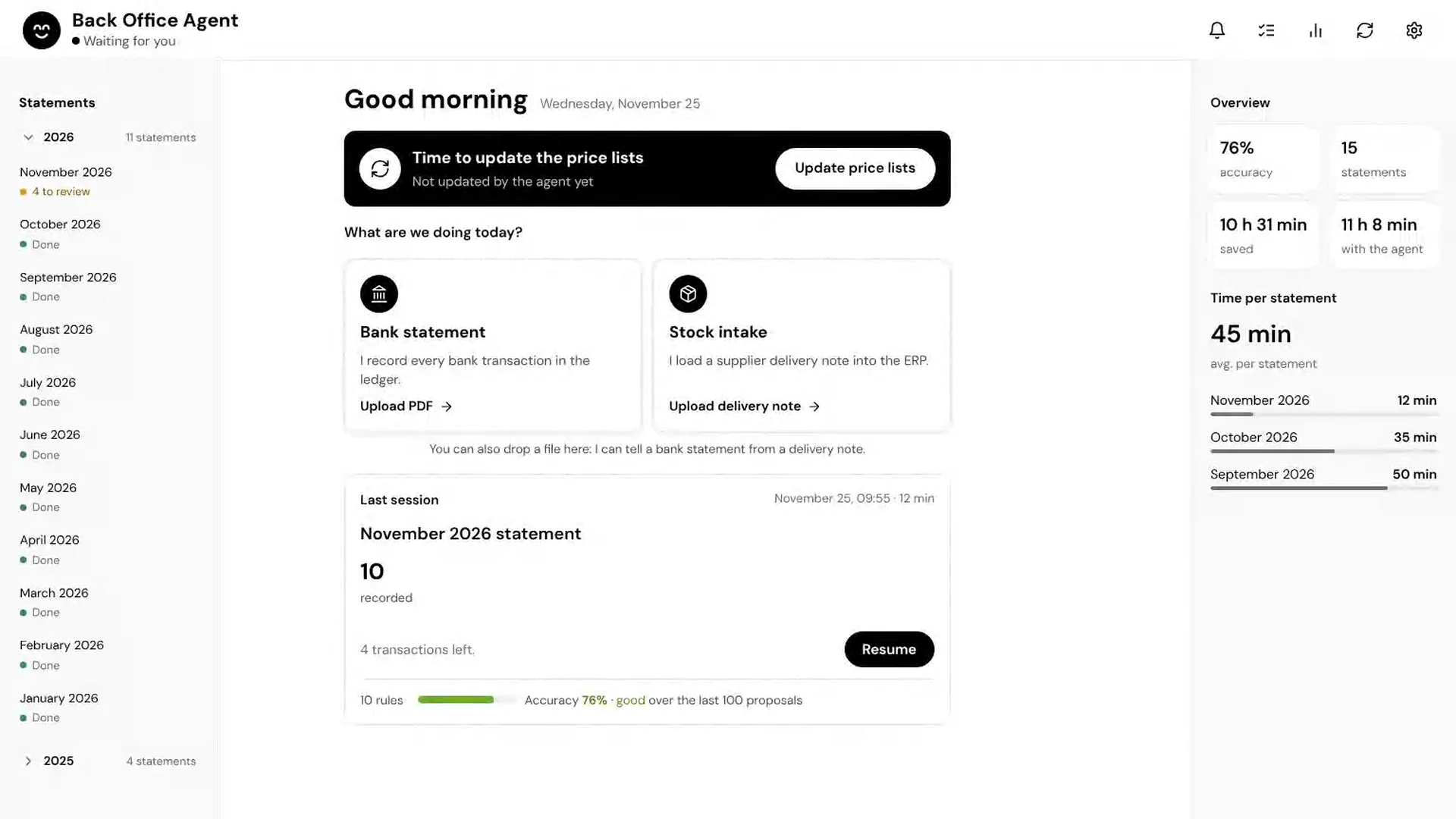
Back Office Agent / Product design + build
The ERP stays. The busywork goes.
A small electrical contractor runs its accounts, stock and price lists on a desktop ERP that has no API and no plans to change. Every month someone copied each bank transaction into it by hand, one form at a time.
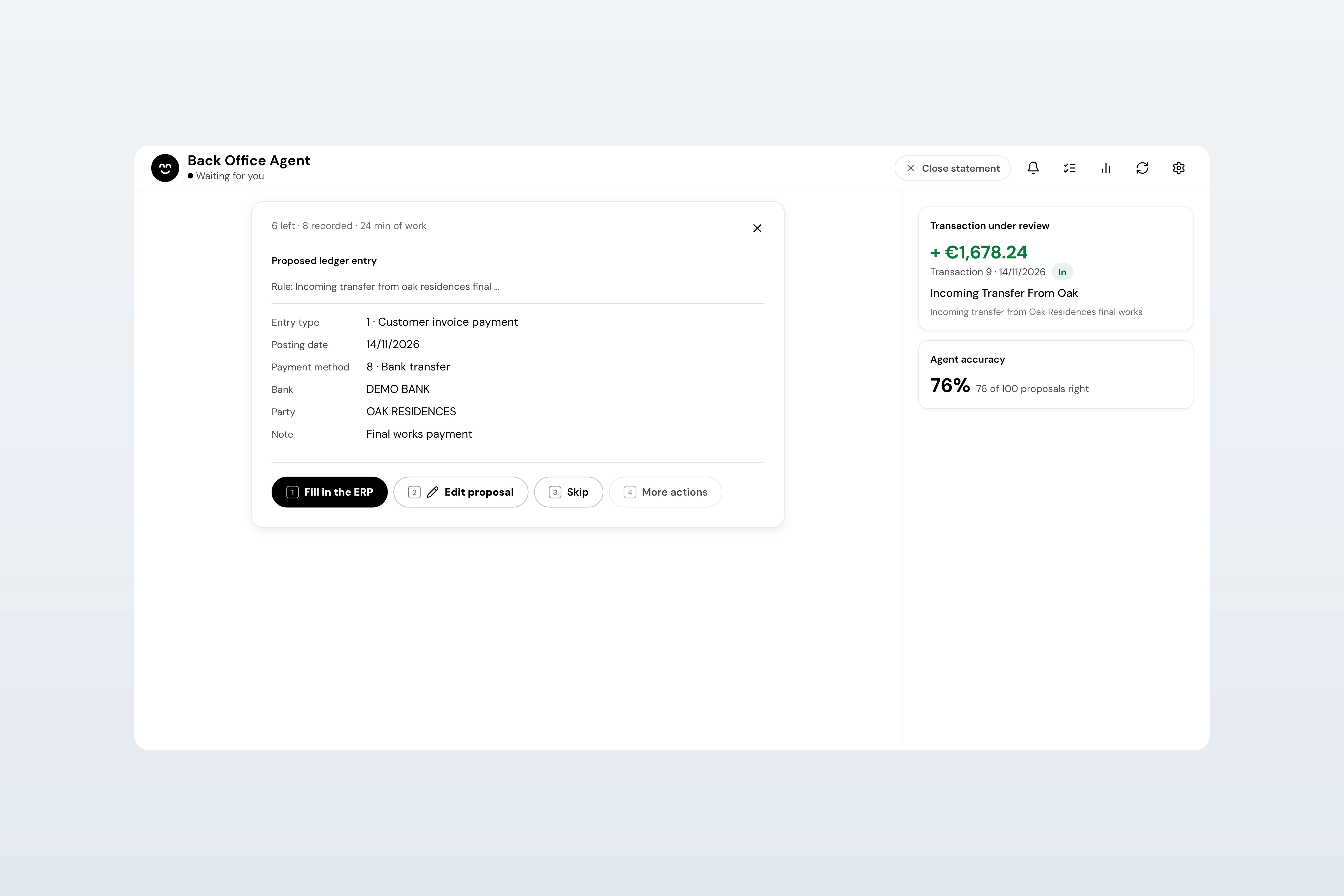
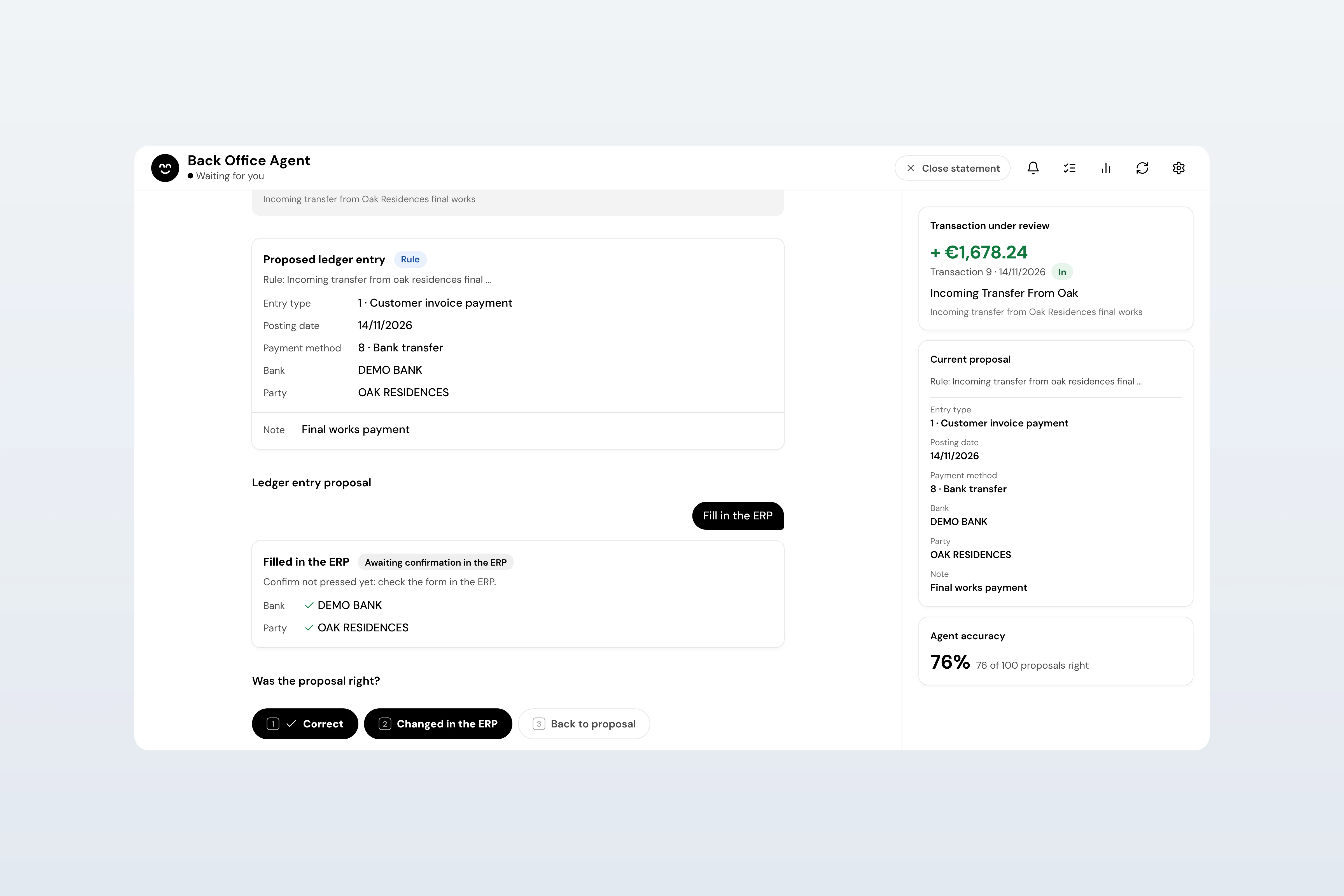
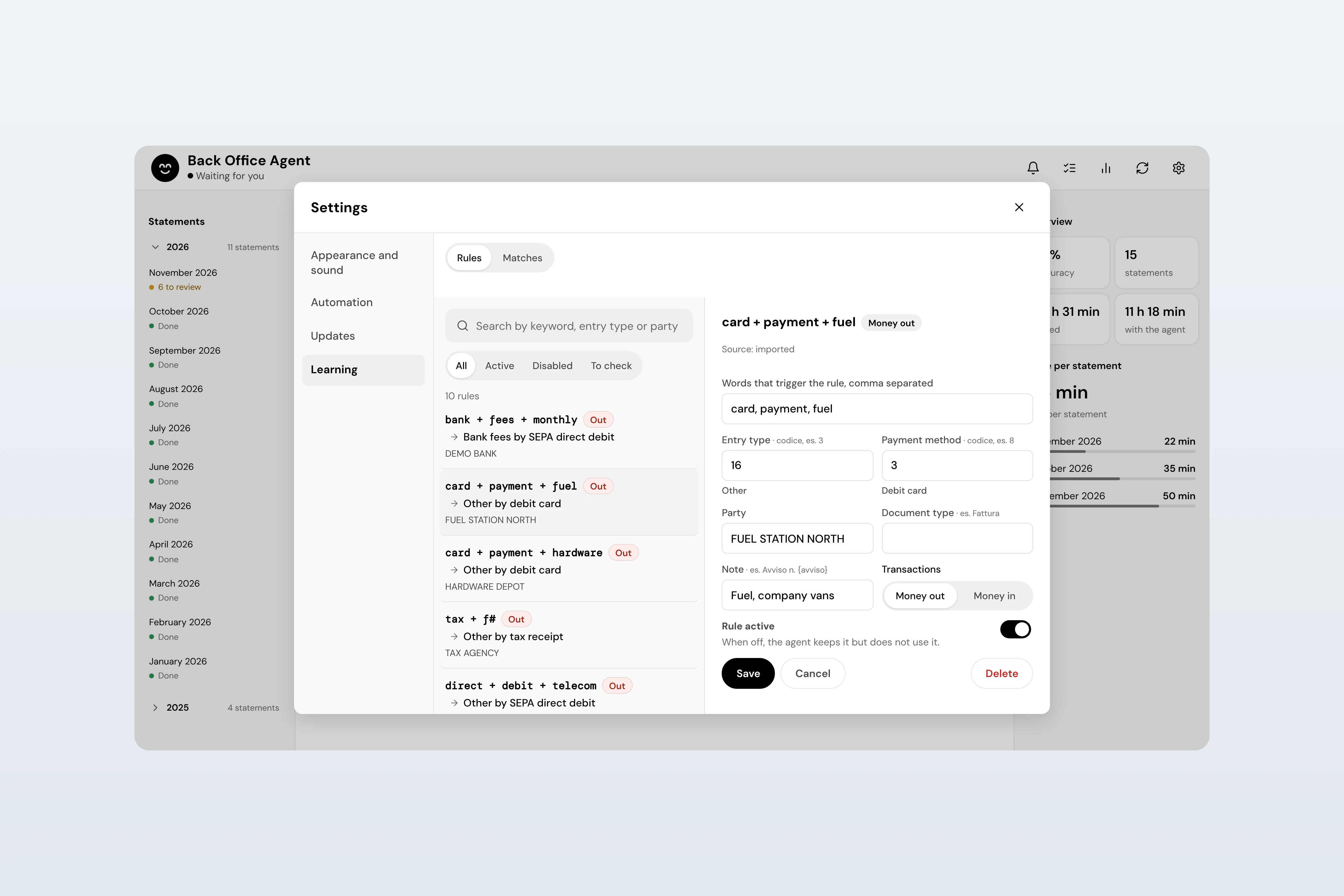
I designed and built an agent that sits next to that ERP instead of replacing it. It reads the bank statement, proposes every ledger entry, fills the ERP's own form through the Windows interface and stops before Confirm. The operator checks and confirms; the agent learns from whatever they change.
Trust by design
Nothing leaves the office PC.
Statements, rules and history stay in a local folder on the operator's computer. The app is served only on that machine, behind a random token created at launch, and no external AI model ever sees the bank data.
When it is unsure, it says so. A statement whose count or balances do not reconcile is stopped before review, large amounts wait for a manual check, and the agent never presses Confirm on its own unless the operator turns on a strict auto-confirm for small, proven entries.
Results
Half the time, measured on real work.
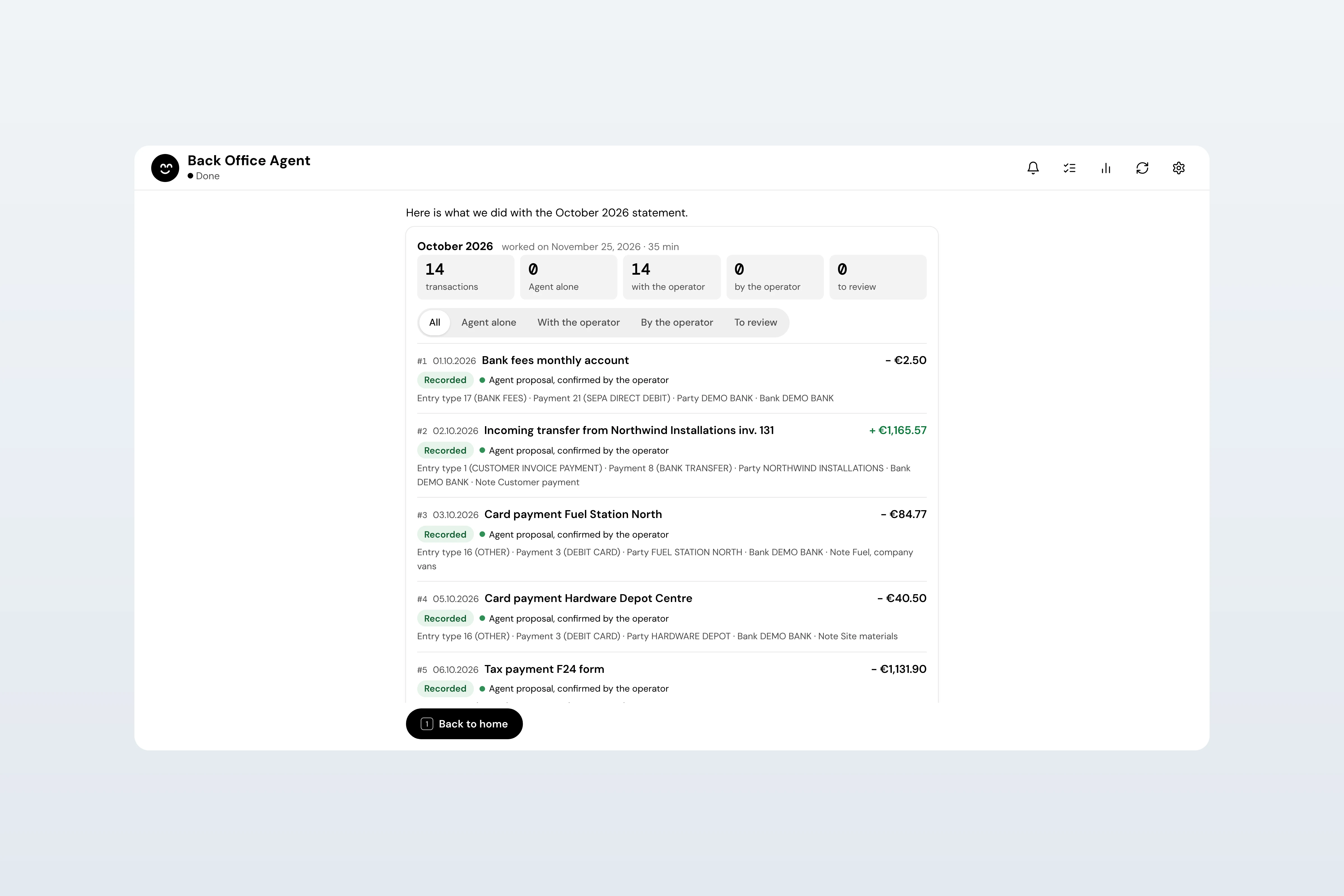
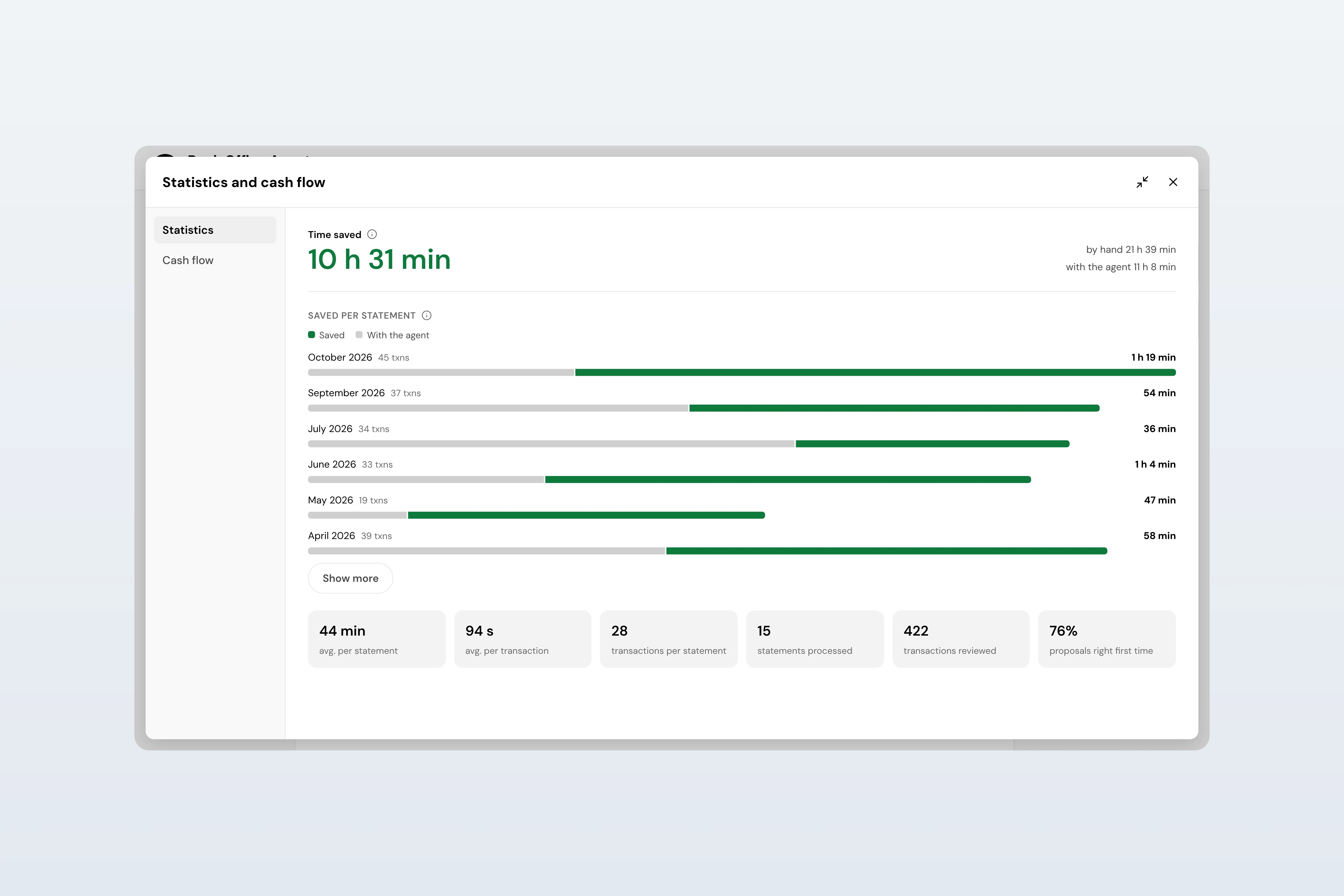
Over the first 15 bank statements and 422 transactions, the work took 11 h 8 min with the agent against an estimated 21 h 39 min by hand in the ERP: 10 h 31 min saved, about 42 minutes per statement. 76% of the proposals were right first time, and it picked the right kind of transaction, whether customer payment, supplier invoice or expense, in all 38 cases it was asked to.
How it came together
Built around the operator, one month at a time
I designed and built it with AI coding agents. It is a TypeScript app on Node.js with a local web interface that opens as its own desktop window. It reads PDF statements with pdf.js, then drives the ERP through Windows UI Automation and OCR in PowerShell: opening forms, pasting values, picking parties from the ERP's own search and reading every field back.
Beyond the bank, it updates supplier price lists at the start of each month and loads supplier delivery notes into stock, writing each line at the supplier's price and checking the totals after every line. Each feature started from watching the operator work, shipped behind a dry run first and only then touched the real ERP. The interface is in Italian; these screens are translated for the portfolio.
The system behind the agent
Black, white and one green for done
An office tool that should feel calm: white surfaces, black actions, thin borders and almost no shadow. Green only appears when something is recorded or time is saved, so success is easy to spot. DM Sans carries the interface; DM Mono marks figures and rule keywords.
App icon

Palette — light & dark
Core
Status
Type
Proposed ledger entry
DM Sans
Interface, headings and body
card + payment + fuel
DM Mono
Rule keywords and figures